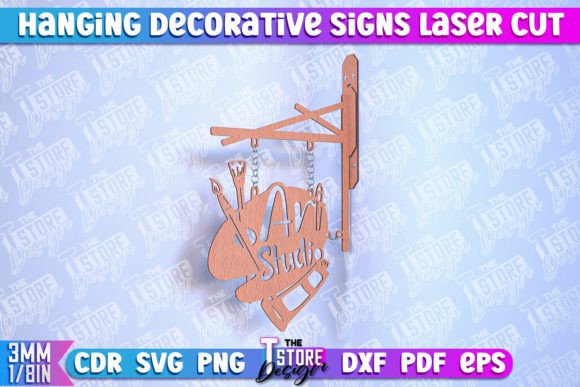
Choosing the Right Hanging Decorative Sign Laser Cut Design for Your Workshop
For makers, small business owners, and hobbyists operating laser cutting machinery, the selection of digital assets is just as critical as the maintenance of the equipment itself. A Hanging Decorative Sign Laser Cut Design represents more than a simple image; it is a functional blueprint that dictates material usage, machine runtime, and the final aesthetic quality of a physical product. When evaluating whether to purchase a pre-made CNC file or design one from scratch, understanding the technical nuances of vector formats, line color coding, and material compatibility is essential for making an informed decision.
The primary distinction of a professional-grade hanging sign design lies in its preparation for manufacturing. Unlike standard graphic illustrations intended for screens or print, these files are engineered specifically for subtractive manufacturing processes. A high-quality design separates operations through precise color coding: typically, red lines indicate where the laser beam must cut completely through the material, while black lines denote areas for surface engraving. This separation is not merely cosmetic; it streamlines the workflow within software like LightBurn, RDWorks, or Illustrator, reducing the risk of operator error during the setup phase.
Evaluating File Formats and Software Compatibility
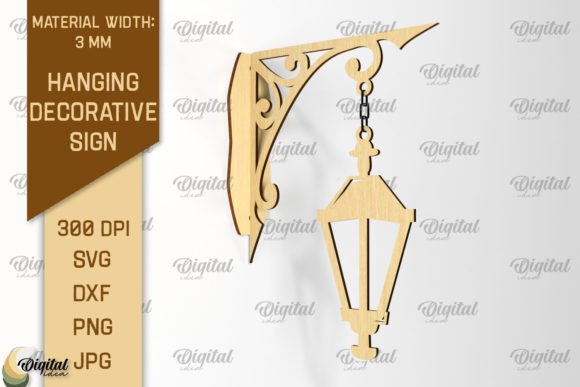
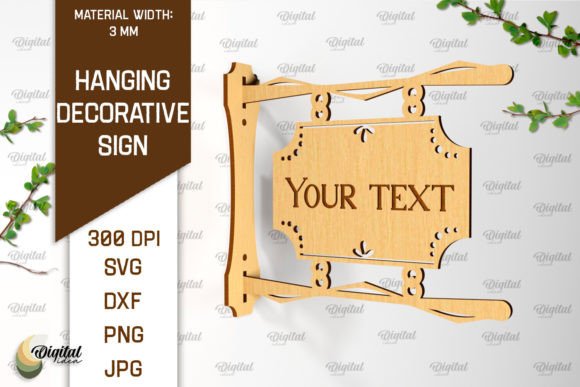
One of the most significant factors in choosing a digital resource is the variety of file formats provided. A robust package for a hanging decorative sign should ideally include a comprehensive suite of vectors, such as SVG, EPS, DXF, PDF, and sometimes AI files. Each format serves a different purpose depending on the user's software ecosystem.
- SVG (Scalable Vector Graphics): Highly versatile for web-based design tools and increasingly supported by dedicated laser software. It preserves scale without pixelation.
- DXF (Drawing Exchange Format): The industry standard for CAD programs and many older or industrial laser controllers. It ensures geometric precision but can sometimes struggle with complex curves if not exported correctly.
- EPS and PDF: Preferred by users working in Adobe Illustrator or CorelDRAW. These formats often retain layer information and color data, which is crucial for maintaining the red-cut/black-engrave distinction.
- PNG: While primarily a raster format, a high-resolution PNG included in the archive serves as a vital visual preview. It allows the buyer to verify the design's appearance before importing vector data into their CAM software.
When comparing options, a single-format download often signals a limitation in flexibility. If your workflow relies on a specific combination of software—for instance, editing in Illustrator before sending to a Glowforge—a multi-format archive ensures you are not forced to convert files manually, a process that can introduce scaling errors or lost nodes.
The Trade-offs Between Pre-Made Designs and Custom Creation
Deciding between purchasing a ready-to-use Hanging Decorative Sign Laser Cut Design and creating a custom file involves weighing time investment against creative control. Custom design offers unlimited freedom but requires proficiency in vector illustration software, knowledge of kerf compensation (the width of material removed by the laser), and an understanding of structural integrity for hanging mechanisms.
Conversely, utilizing a pre-designed CNC file offers immediate utility. These files have theoretically been tested for common pitfalls, such as disconnected paths that cause the laser head to jump unexpectedly or text that is too fine to engrave clearly on certain woods. However, the trade-off is a lack of uniqueness; popular designs may appear in multiple shops or marketplaces. For a business producing goods for sale, this necessitates checking the licensing terms to ensure commercial use is permitted.
Furthermore, pre-made designs often come with specific constraints regarding size. While vector files are scalable, enlarging a design significantly can expose weaknesses in the original geometry. Thin connecting bridges that hold a sign together at 6 inches might become too fragile or visually disproportionate at 24 inches. A prudent buyer evaluates whether the design's structural elements can withstand the scaling required for their specific project.
Material Considerations and Machine Limitations
The suitability of a hanging sign design is heavily dependent on the intended material. A design optimized for 3mm birch plywood may fail catastrophically if attempted on 6mm acrylic due to differences in melting points, charring tendencies, and structural rigidity. The "red line cut" instruction assumes a certain power and speed setting appropriate for standard materials. If a user intends to cut thicker hardwoods or reflective metals, the provided settings may need substantial adjustment, or the design itself may require modification to accommodate wider kerfs.
It is also vital to consider the capabilities of the specific laser cutter being used. Desktop diode lasers have different focal lengths and power outputs compared to CO2 tubes. A complex design with intricate internal engraving (black lines) might take an excessive amount of time on a lower-wattage machine, affecting production throughput. In such cases, a simpler design with less dense engraving might be a more practical alternative, even if it sacrifices some decorative detail.
Assessing Structural Integrity and Hanging Mechanisms
A frequently overlooked aspect of hanging sign designs is the integration of the hanging mechanism. Some files include pre-cut holes for rope, chain, or wire, while others assume the user will add these post-processing. Designs with integrated hanging loops must be carefully examined for stress points. If the grain of the wood runs parallel to a thin hanging tab, the sign is prone to snapping under its own weight. Experienced users often look for designs that account for material grain direction or those that offer reinforced connection points.
Additionally, the balance of the sign is crucial. Asymmetrical designs, while aesthetically pleasing, can hang crookedly if the center of gravity is not aligned with the suspension point. Professional CNC files often position the hanging hole precisely to ensure the sign hangs level, a detail that distinguishes a well-engineered product from a basic graphic conversion.
Making the Final Decision
Ultimately, selecting the right Hanging Decorative Sign Laser Cut Design comes down to aligning the file's specifications with your project goals, machine capabilities, and material choices. If you require a quick turnaround for a client order and possess a standard CO2 laser setup, a multi-format package with clear cut/engrave delineation is likely the most efficient path. The inclusion of files like DXF and SVG ensures compatibility across almost any workflow, minimizing technical friction.
However, if your project involves non-standard materials, unusual thicknesses, or requires a highly unique brand identity, investing time in custom modification or original design may yield better long-term results. Always verify that the vendor provides support for file issues, as digital products can occasionally contain corrupted nodes or scaling discrepancies that require expert assistance to resolve.
By critically evaluating the file formats, understanding the implications of line color coding, and realistically assessing your machine's limitations, you can ensure that your next hanging sign project is both structurally sound and visually striking. The right digital asset acts as a reliable foundation, allowing you to focus on the craftsmanship of the final product rather than troubleshooting vector errors.