Unlocking Creativity: The Ultimate Guide to 3D Stand Decorative Table Signs and CNC Files
In the rapidly evolving world of digital fabrication, the ability to transform a simple sheet of material into a functional piece of art is nothing short of magical. At the heart of this transformation lies the 3D Stand Decorative Table Sign, a popular project for hobbyists and professionals alike. Whether you are running a small business selling personalized gifts, decorating your own home, or teaching students about design technology, understanding how to utilize CNC files for these stands is a valuable skill. This guide will walk you through everything you need to know about creating these charming items, from file formats to machine settings, ensuring your next project is a success.
What Exactly is a 3D Stand Table Sign?
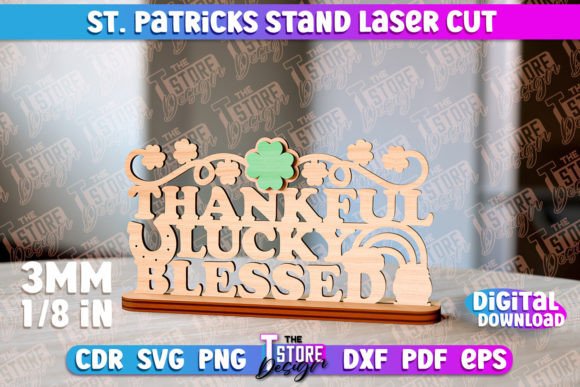
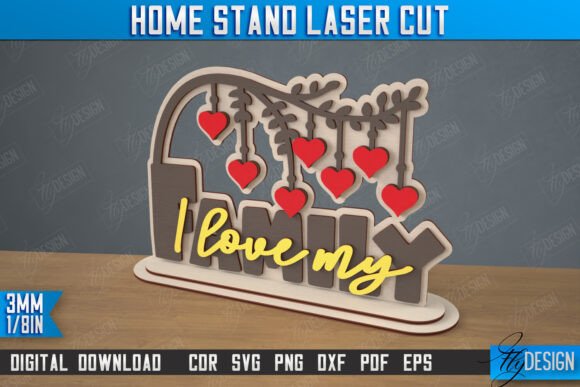
A 3D Stand Table Sign is more than just a flat piece of wood or acrylic with words on it. It is a cleverly engineered object designed to stand upright on a flat surface without the need for external props or adhesives. Typically, these signs consist of two or more interlocking pieces that slot together to create a stable base. One piece usually features the decorative element—such as a "Kind" inscription, a family name, or a seasonal motif—while the other acts as the support structure.
The beauty of these signs lies in their versatility. They serve as perfect home decor accents on mantles and desks, effective branding tools for retail counters, or thoughtful handmade gifts. Because they are created using Laser Cutting Machines or CNC routers, the level of detail achievable is immense, allowing for intricate patterns and precise typography that would be difficult to replicate by hand.
The Role of Digital Files in Modern Crafting
Gone are the days when every cut had to be measured and drawn manually. Today, the creative process begins with a digital file. When you purchase or download a design for a table sign, you are essentially buying the blueprint that tells your machine exactly where to move. These blueprints come in various formats, each serving a specific purpose in the workflow.
A standard high-quality digital product package typically includes a zip archive containing multiple file types to ensure compatibility with different software and machines. You will commonly find:
- SVG (Scalable Vector Graphics): Ideal for web-based design tools and many laser software programs. It scales infinitely without losing quality.
- EPS (Encapsulated PostScript): A favorite among graphic designers using Adobe Illustrator or CorelDRAW.
- DXF (Drawing Exchange Format): The industry standard for CAD software and often the most reliable format for laser cutting machines.
- PNG (Portable Network Graphics): A raster image used primarily for previews, marketing materials, or engraving reference images.
- PDF (Portable Document Format): Useful for viewing the design layout and sending to print shops if you don't have your own machine.
Having access to this variety ensures that no matter what software ecosystem you operate in, you can bring your vision to life.
Understanding Cut and Engrave Lines
One of the most critical aspects of preparing a file for production is distinguishing between cutting and engraving. In professional CNC and laser files, this is often communicated through color coding. A common convention you will encounter is:
- RED lines: These indicate where the machine should CUT all the way through the material. This is used for the outer shapes of the sign and the slots that allow the pieces to interlock.
- BLACK lines: These indicate where the machine should ENGRAVE. This creates surface-level details, such as text inscriptions like "Kind," decorative borders, or textures, without cutting through the material.
It is vital to configure your machine's software to recognize these colors correctly. If the machine attempts to engrave a cut line, your pieces won't separate. Conversely, if it tries to cut an engrave line, you might destroy the structural integrity of your sign or burn unnecessary holes into your design.
Navigating Software Compatibility and Common Pitfalls
While the technology is powerful, it is not without its quirks. A frequent challenge faced by creators involves software compatibility, particularly when using LightBurn, one of the most popular control software programs for laser cutters. Users often report that LightBurn can sometimes distort the dimensions of files, especially when importing SVG formats. This distortion can lead to parts that do not fit together properly, ruining the material and the project.
To mitigate this risk, experts strongly suggest using the DXF file format when working with LightBurn. DXF files tend to preserve exact measurements and scaling factors more reliably than SVGs in this specific environment. By choosing the right file type for your specific software, you ensure that the physical result matches your digital expectation perfectly.
Furthermore, always verify your material thickness settings. A 3D stand relies on precise slots; if your material is 3mm thick but your file is set for 4mm, the pieces will be loose and wobbly. If the material is thinner than the slot, assembly will be impossible. Always measure your stock material before sending the job to the machine.
Practical Applications in Daily Life and Business
Why go through the trouble of making these signs? The applications are vast and impactful. For small business owners, these signs represent a low-cost, high-margin product. Customizable table signs for weddings, corporate events, or retail displays are in constant demand. The ability to quickly swap out inscriptions or designs allows for a dynamic inventory without needing new physical tooling.
In an educational setting, creating these signs teaches students valuable lessons in geometry, spatial reasoning, and digital literacy. They learn how 2D designs translate into 3D objects, fostering problem-solving skills when they troubleshoot fit issues or design flaws.
For the home enthusiast, these projects offer a satisfying blend of technology and craftsmanship. There is a unique pride in placing a "Kind" inscription or a family motto on your desk, knowing you engineered and built it yourself. It adds a personal touch to interior design that mass-produced items simply cannot match.
Expanding Your Creative Horizons
The world of CNC and laser cutting is constantly expanding. While standard files are a great starting point, customization is key. Perhaps you need a specific file type not listed in the standard archive, or maybe you require a PNG file in a different color or size to match your brand guidelines. Many designers and shop owners are willing to accommodate these requests. Do not hesitate to reach out via message if you have questions or special requirements. Collaboration between the designer and the maker often leads to the best results.
Additionally, staying connected with the creator community is essential. By following shops and designers, you can stay updated on future releases, new techniques, and trending designs. The feed of a dedicated creator is a treasure trove of inspiration, offering glimpses into how others are pushing the boundaries of what is possible with a laser cutter.
Conclusion: From Digital File to Physical Reality
The journey from a digital CNC file to a finished 3D Stand Decorative Table Sign is a testament to the power of modern manufacturing technology. It bridges the gap between abstract design and tangible utility. By understanding the nuances of file formats like DXF and SVG, respecting the difference between cut and engrave lines, and selecting the right software workflows, you empower yourself to create stunning, functional art.
Whether you are crafting a gift to spread kindness, building inventory for your shop, or simply exploring the joys of making, these projects offer endless possibilities. Remember, precision is paramount, but so is creativity. With the right tools and knowledge, your laser cutting machine becomes an extension of your imagination, ready to bring your ideas to life, one cut at a time.